


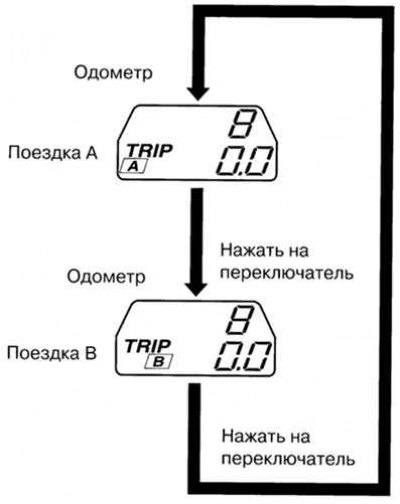
Fig. 1.49. Odometer mode switching diagram
One of the values of the distance traveled is recorded by the trip odometer A, and the second by the trip odometer B.
For example, using indicator A you can monitor the distance traveled from the starting point, and using indicator B – the distance traveled after refueling the fuel tank. Switching the display from indicator A to indicator B is done with a short press (no more than one second) by pressing the switch button. The selected trip odometer (A or B) is indicated on the display as "TRIP A" or "TRIP B". Each trip odometer records the distance traveled by the vehicle since the last reset. To reset the current reading, press the switch button and hold it down for at least one second. Use the trip odometer to determine the distance traveled by the vehicle and calculate fuel consumption.
Note: The trip odometer allows you to record the distance traveled with an accuracy of up to a tenth of a kilometer. The trip odometer readings are reset in the following cases:
- When the power supply is interrupted (the fuse has blown or the battery is disconnected from the vehicle's electrical system);
- When the mileage reaches 999.9 km.
Mazda6 MPS
In order to see the reading on the display when the ignition is turned off or to reset the mileage indicator for a trip, press the switch button. At the same time, the same time limit applies as for the Mazda 6 car.
Content based on information from mazbook