


Contents: Indicator built into the "AUTO"…⇓ Switch "OFF" ⇓ Air temperature regulator ⇓ Fan speed switch ⇓ Air distribution mode switch. ⇓ Air conditioner switch ⇓ Switch for ventilation modes ⇓
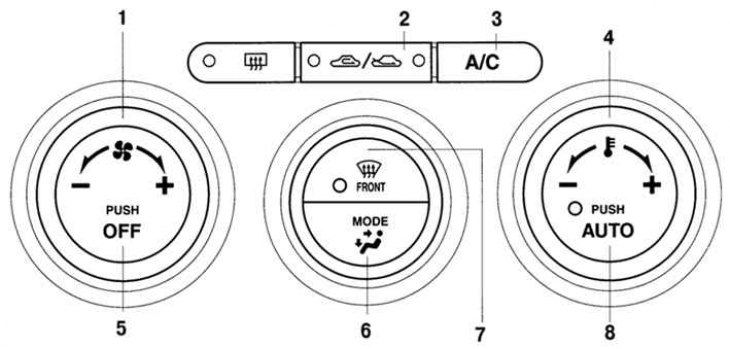
Fig. 1.107. External appearance of the control panel of the automatic air conditioning system: 1 – Fan switch; 2 – ventilation mode switch; 3 – air conditioner switch; 4 – temperature controller; 5 – system switch; 6 – air distribution mode switch; 7 – Windshield defroster switch; 8 – Automatic mode switch
Switch "AUTO" (Automatic mode)(see fig. 1.107).
When you press the "AUTO" switch (Automatic mode) the climate control system performs the following automatic functions (in accordance with the set air temperature in the car interior):
- regulation of the temperature of the air supplied to the cabin;
- fan speed control (the amount of air supplied to the cabin);
- switching air distribution modes;
- switching between supply ventilation and air recirculation modes;
- turning the air conditioner on and off.
- switching the air conditioner operating modes "A/C" or "A/C ECON" (see fig. 1.107).
Indicator built into the "AUTO" switch button
The illuminated indicator indicates that the climate control system is operating in automatic mode.
If the built-in indicator does not light, this indicates that the driver has manually changed one or more modes of the climate control system (for example, switching the air distribution mode, changing the fan speed, pressing the air conditioner switch or the windshield defroster switch). In this case, the system will maintain the mode set manually by the driver. Otherwise, the climate control system will continue to function in automatic mode.
Switch "OFF"
Pressing the "OFF" switch turns off the climate control system.
Air temperature regulator
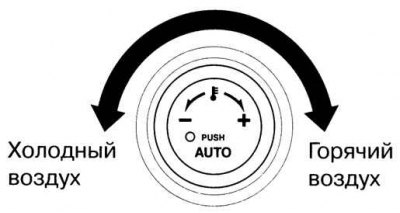
Fig. 1.108. Air temperature adjustment
The air temperature is adjusted by turning the handle. When turning the regulator clockwise, the air temperature increases, and counterclockwise, it decreases (fig. 1.108).
Fan speed switch
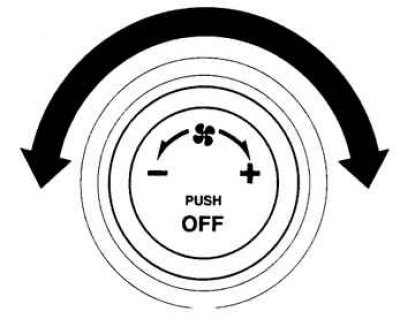
Fig. 1.109. Adjusting the fan speed
Based on website data Mazbook.ru
There are seven fan speeds available. The selected fan speed is displayed on the information display (fig. 1.109).
Air distribution mode switch.
The switch allows you to select the desired air distribution mode (see fig. 1.107).
If the air distribution mode is enabled
 and the air temperature is set at an average level, then warm air will flow into the driver and passenger footwell area, and cooler air will be directed into the passenger compartment through the central and side ventilation grilles located in the control panel.
Air conditioner switch
If the climate control system is in automatic mode or the fan is on, you can use the "A/C" button to turn the air conditioner on or off (performing the functions of cooling and dehumidifying air).
The selection between the "A/C" and "A/C ECON" modes is carried out automatically. In the economical mode (A/C ECO), the efficiency of air cooling and removal of condensation from the windshield is reduced. However, using this mode reduces the load on the air conditioning system. The air conditioner may not operate if the ambient temperature approaches 0°C (the indicator continues to light even if the system is turned off).
Switch for ventilation modes
You can select the fresh air ventilation mode or the recirculated air mode. Press the switch button to select one of the two cabin ventilation modes.