


Contents: Manual climate control system ⇓ Automatic climate control system ⇓ Automatic climate control system…⇓ Audio system display ⇓ Trip computer display ⇓ Current fuel consumption ⇓ Average fuel consumption ⇓ Range of fuel remaining in the tank ⇓ Average speed of the car ⇓
Manual climate control system
The display shows the ambient temperature when the ignition switch is in the "ON" position (ignition on).
Automatic climate control system
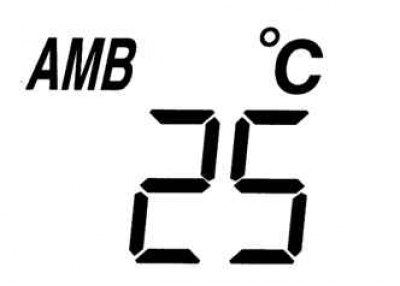
Fig. 1.96. Indication of ambient air temperature
If the ignition switch is in the "ON" position (ignition on), then in order to display the ambient temperature readings, press the "AMB" button (ambient air temperature), which is located on the climate control panel. Click on the "AMB" button (ambient air temperature) once again, in order to switch the display to the mode of indicating the air temperature in the cabin, which is set for the microclimate control system (Fig. 1.96).
In some cases, the ambient air thermometer readings may differ from the actual air temperature (it depends on the surrounding conditions and the condition of the car):
- very low or high temperature;
- a sharp change in ambient temperature;
- the car is parked;
- the car is moving at low speed.
Automatic climate control system display
The information display shows information about the current state of the microclimate control system.
Audio system display
The information display shows information about the current status of the audio system.
Trip computer display
The trip computer allows you to monitor the following data on the display:
- current fuel consumption;
- average fuel consumption;
- range of fuel remaining in the tank;
- average speed of the car.
Current fuel consumption
The trip computer display shows the current fuel consumption, which is calculated based on fuel consumption and the distance traveled.
Current fuel consumption is calculated and updated every 2 s.
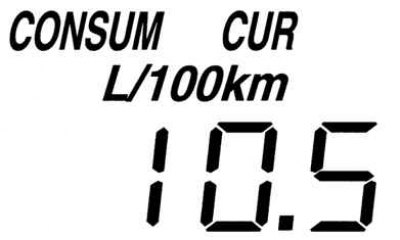
Fig. 1.97. Indication of current fuel consumption
In the current fuel consumption indication mode, the indicator will light on the display "CONSUM CUR" (Fig. 1.97).
When the vehicle speed drops to approximately 5 km/h, the current fuel consumption readings are replaced by symbols "–– L/ 100 km".
Average fuel consumption
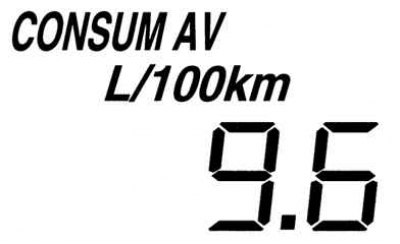
Fig. 1.98. Average fuel consumption indication
The trip computer display shows the average fuel consumption, which is calculated taking into account the volume of fuel consumed and the distance traveled by the vehicle since the last time the battery was connected to the on-board network or since the last reset of the trip computer. Average fuel consumption is calculated and updated on the display every minute. In the average fuel consumption display mode, the "CONSUM AV" indicator will light on the display (Fig. 1.98).
To delete the trip computer readings displayed on the display, press the "INFO" button (information) and hold it down for at least one second. After long pressing the "INFO" button (information) symbols will appear on the display "–– L/ 100 km", which will remain on the display for one minute until a new average fuel consumption value is calculated.
Range of fuel remaining in the tank
The display shows the approximate distance the car can travel on the fuel in the tank. The range calculation is based on average fuel consumption.
The fuel range is recalculated and updated every minute.
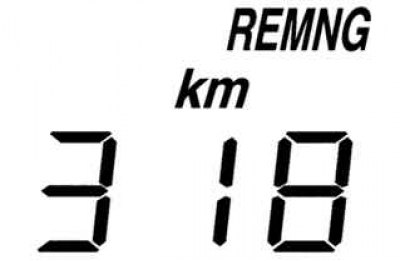
Fig. 1.99. Fuel reserve indication while driving
In the fuel range indication mode, the "REMNG" indicator will light on the display (Fig. 1.99).
Note: If the trip computer indicates that there is sufficient range until the next refueling, immediately fill the vehicle's fuel tank if the fuel gauge needle is near the "E" (empty) mark or the low fuel indicator lights up.
The readings on the trip computer display will not change if less than 20 liters of fuel have been added to the tank.
Average speed of the car
The trip computer display shows the average speed of the vehicle, calculated based on the distance traveled and the time of travel since the last connection of the battery to the on-board network or since the last reset of the trip computer.
The average vehicle speed is calculated and updated every 10 s.
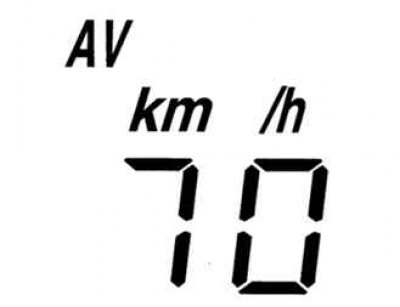
Fig. 1.100. Indication of average vehicle speed
[The article is based on website data mazbook]
In the average vehicle speed indication mode, the "AV" indicator will light on the display (fig. 1.100).