


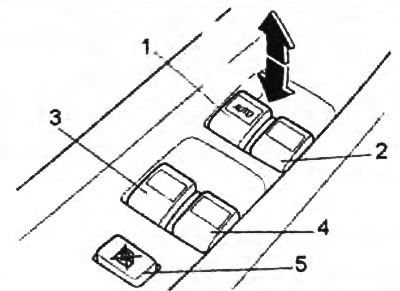
1 - driver's door window switch,
2 - front passenger door window switch,
3 - rear left door window lift switch,
4 - rear right door window lift switch,
5 - window lifter lock switch.
2. From the driver's door panel, you can control the position of the windows of all doors, as well as lock them using the corresponding switch.
The driver's door window switch has an additional "AUTO" function, which allows the window to be completely lowered without the need to hold the switch in the appropriate position.
To lower the glass, press the switch on the "AUTO" side to the end of its stroke and release it. The glass will automatically lower to the end of its stroke. If you need to stop the glass in a slightly open position, pull the switch slightly.
Attention:
- To prevent fuses from blowing and system damage, do not open/close more than two door windows at a time.
- Once the window has been fully lowered/raised, do not press the switch in the same direction as this may cause damage to the system.
3. On the panel of each passenger door there is a switch, by pressing and holding which the passenger can adjust the position of the glass only on his side.
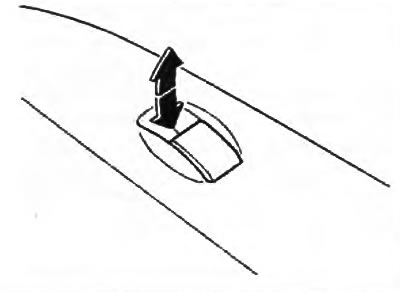
Caution: Once the window has been fully lowered/raised, do not press the switch in the same direction as this may damage the system.
4. There is a window lock switch on the driver's door window control panel. When you press the switch, it is impossible to lower (raise) the windows, except for the driver's door window.
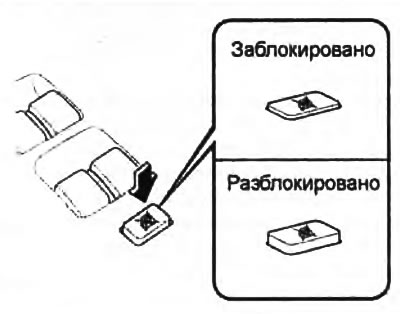
To unlock the window lifts, press the switch again.